


Let's admit it, getting a passport photo used to be one of those annoying chores you kept putting off.
So when we made an epassport-photo and wrote the words "100% free passport photo generator", many people were suspicious. Is it really free? Will it slap a huge watermark on their face unless they pay?
If you're wondering whether this website lives up to its claims, keep reading.
First Impressions: Clean, Friendly, No Gimmicks
Most free online tools are either sketchy looking or absolutely packed with ads. Not this one. ePassport-Photo greets you with a minimal, no nonsense design that gets right to the point.
You're immediately asked: What country do you need a passport (or visa) photo for?
With over 100+ countries supported, from the U.S. to Nepal to the Schengen zone, this tool isn't just some one-size-fits-all gimmick. It's tailored and that's huge because every country has slightly different photo rules.
Step by Step: What's It Like to Use EPassport-Photo?
Step 1: Choose Country & Document Type
You start by selecting your country and document type (passport, visa, ID card, etc.). ePassport-Photo automatically adjusts the dimensions and rules based on your choice.
Step 2: Upload Your Photo
Next, you upload a photo. It can be a selfie taken with your phone, as long as:
You're facing forward
You're not smiling
The background is light and plain (ideally white or offwhite)
File size limit?10 MB. File types? JPG or PNG.
Step 3: Adjust with the Smart Tool
This is where the magic happens. The tool overlays an oval template on your photo so you can position your head just right. You can:
Crop and zoom
Rotate and center
Remove the background (if needed)
Step 4: Download Instantly
When you're done editing, you can download your photo in:
JPEG
PNG
Or a printable PDF layout (with multiple copies on a 4x6 or A4 sheet)
No watermark. No locked features. No sign up to get your photo. Just download and done.
Tips for Taking the Best Passport Photo at Home
While the tool does a great job adjusting and formatting your image, starting with a good photo makes everything easier. Here are a few pro tips to nail your passport selfie at home:
Lighting Matters: Stand near a window or use soft, indirect lighting to avoid harsh shadows on your face or background.
Plain Background: Hang a light-colored sheet or stand against a plain wall. Avoid patterns or shadows.
Camera at Eye Level: Place your phone or camera at eye level, don't angle from above or below.
Avoid Accessories: No glasses, hats, or headphones. Your ears should be visible, and your hair should not cover your face.
Neutral Expression: Keep your mouth closed and eyes open. No big smiles or duck faces!
Good Preparation = Less Editing!
Is It Actually Free? (Spoiler: Yes, Really)
Let's address the elephant in the room: Yes, the service is truly free.
No hidden charges. No annoying paywalls. No premium unlocks to download. You don't even need to create an account.
If you want to take your downloaded file to a local photo shop or print it yourself on photo paper, go for it.
That's where you might spend a dollar or two, but nothing goes to ePassport-Photo. We don't upsell, pressure, or ask for money at any point in the process.
This feels unheard of. And refreshing.
What About Privacy? Are My Photos Safe?
ePassport-Photo's privacy policy is clear: your uploaded photo is deleted after processing. No storage, no shady reuse, no AI training (phew).
We don't sell or share your images. There's also no login required, meaning less personal data exposure overall.
Of course, always use your judgment; never upload sensitive or personal images outside of the document photo category.
Extra Features You'll Appreciate
Here's ePassport-Photo as a decent free tool:
Supports Any Measurement Format: mm, inches, or pixels.
Perfect for Students: Need an ID photo for school, visa, or language test? Done.
MobileFriendly: Works like a charm on Android or iOS browsers.
Multilanguage Support: Available in English, Japanese, Arabic, Russian, French, Korean, and more.
Helpful Blog: Our blog offers smart tips on how to take better ID photos, what to wear, how to fix lighting, etc.
Creative Uses Beyond Passports
While ePassport-Photo is built for passport and visa applications, its flexibility makes it a handy tool for other official and non-official needs. Here are a few creative ways people are using it:
Job Applications & Resumes: In some countries, especially in Europe or Asia, a professional ID-style photo is required on CVs. ePassport-Photo helps you create one that looks polished and compliant.
Student IDs & Exam Registrations: Perfect for school IDs, university apps, or standardized test profiles (like TOEFL, IELTS, etc.).
LinkedIn Profile Photo: Need a clean, professional headshot in a pinch? Crop, align, and download a photo that looks great, even without a suit.
Government or Immigration Portals: Many online government services now require a digital headshot upload. This tool helps you get the correct dimensions instantly.
Final Verdict: Should You Use It?
Absolutely.
Be it you're applying for a visa, renewing a passport, or submitting ID documents for school or work, ePassport-Photo is a gem. It's fast, free, and actually kind of fun to use.
If you're a DIYer, a budget traveler, or just someone who doesn't want to pay $15 for a headshot, this tool is for you.
Your Turn: Try It Yourself
Still skeptical? Try it.
Worst case? You delete your photo and walk away. Best case? You just saved yourself time, money, and frustration.
Go to ePassport-Photo.com
Take a selfie, align it, and download it. It might just be your best passport photo yet.
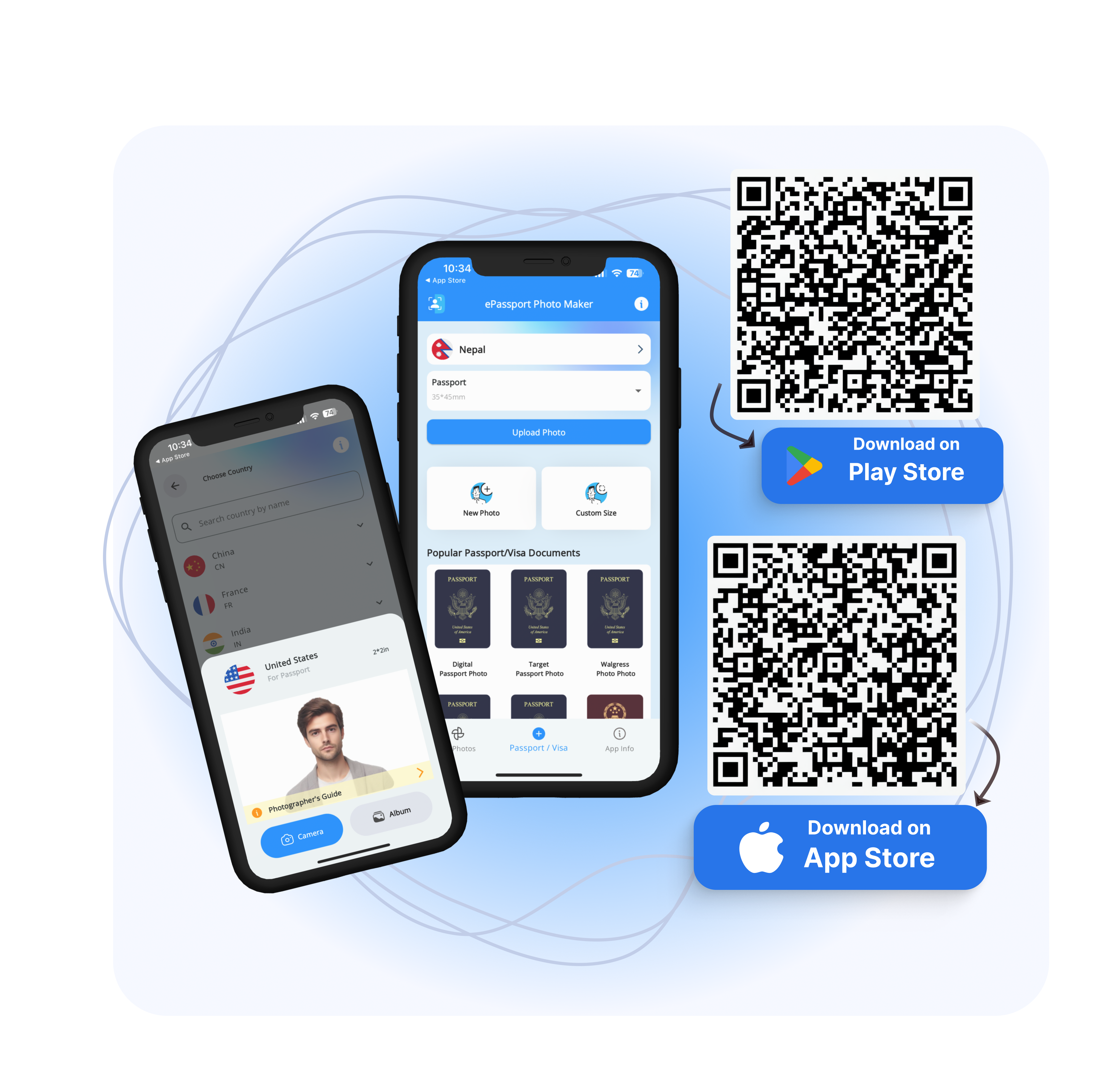
Download EPassport-Photo | Android | IOS |
FAQs
1. Can I use a selfie for a passport photo on ePassport-Photo.com?
Yes, you can use a selfie as long as it follows official guidelines: neutral expression, plain background, good lighting, and no filters. The tool helps align and adjust it to match your country's requirements.
2. Does ePassport-Photo support baby or child passport photos?
Yes! The tool works for baby and child passport photos. You'll need to upload a clear, front facing photo with no hands or props visible. Pro tip: lay the baby on a plain white sheet and snap from above.
3. How can I print my passport photo after downloading it?
You can print the photo at home on 4x6 inch glossy photo paper, or take the JPG/PDF file to any photo printing service. ePassport-Photo provides print ready layouts for easy printing.
4. Can I use ePassport-Photo for visa applications like the US, UK, or Schengen?
Yes. The site supports visa photos for many countries including the US (2x2 inch), UK (35x45mm), and the EU Schengen zone. It auto adjusts to the required dimensions and standards.
5. Can I edit the background color of my photo?
Yes, the tool lets you adjust the background from light gray to white. If your photo has a messy background, you can use the AI enhanced blur or solid background options.